


मान लीजिए आप एक छोटी दुकान चलाते हैं, या घर से कोई service देते हैं, या फिर कोई manufacturing unit है आपकी। Bank जाते हो loan के लिए, तो वो बोलते हैं "MSME certificate लाओ।" आपने Google पर search किया और एक website मिली जो बोल रही है "₹2,700 में certificate बनवाएं।" आपने pay कर दिया। Certificate कभी नहीं आया।
यह scam हजारों छोटे business owners के साथ हो चुका है।
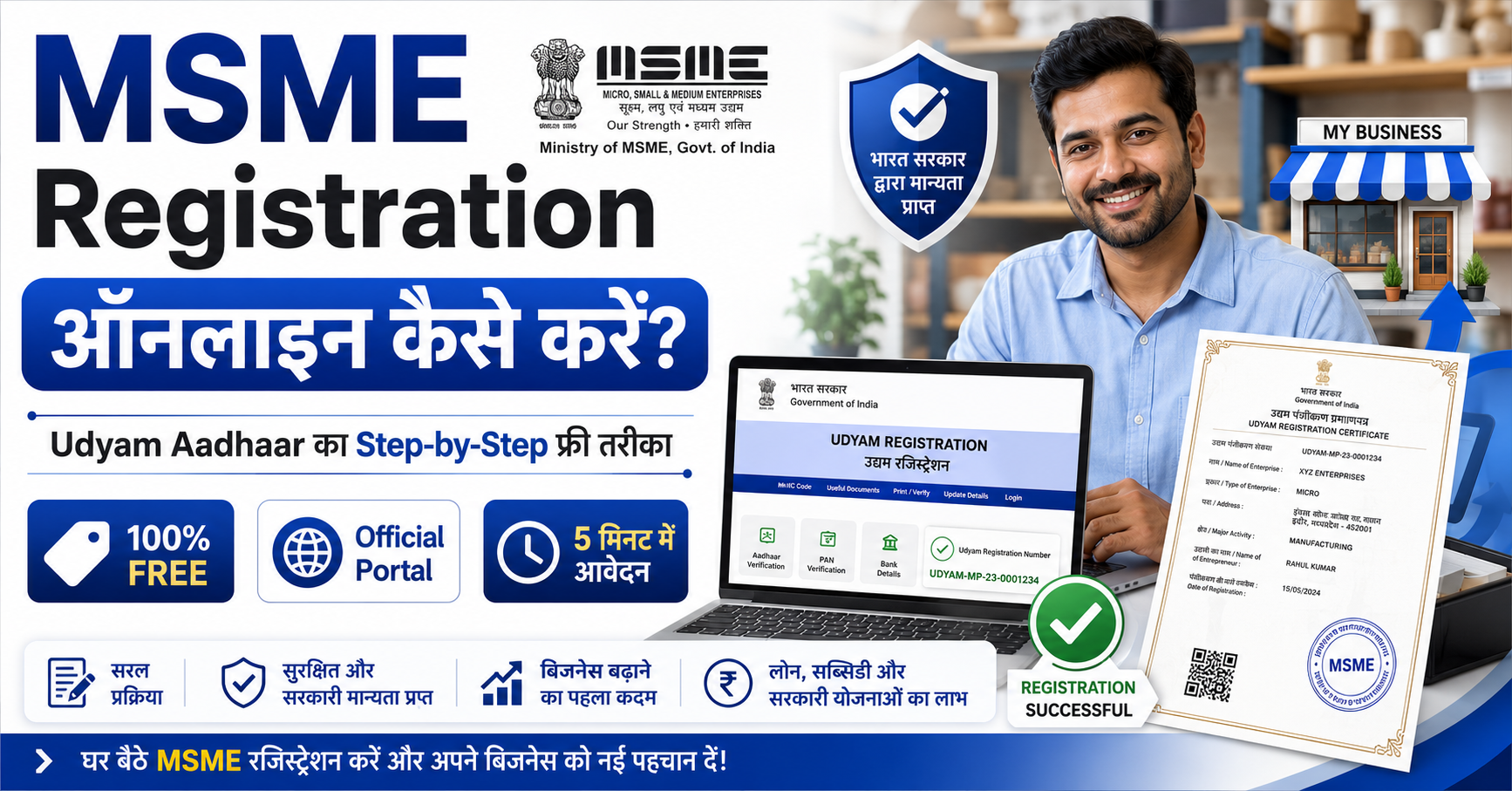
सच्चाई ये है कि Udyam Registration पूरी तरह से फ्री है। एक भी पैसा नहीं लगता। सरकारी portal पर खुद 10 से 15 मिनट में हो जाती है। इस article में हम आपको वो सब बताएंगे जो आपको जाननी चाहिए, ताकि आप सही जगह register करें, सही benefits उठाएं, और किसी fake website के चक्कर में न पड़ें।
इसे भी पढ़िए: अगर आप Sukanya Samriddhi Yojana के बारे में जानना चाहते हैं तो इसे पढ़ें।
Udyam Registration है क्या और इसकी जरूरत क्यों है?
पहले इसे "Udyog Aadhaar" कहते थे। July 2020 में सरकार ने इसे नए रूप में launch किया जिसका नाम है "Udyam Registration।" यह Ministry of Micro, Small and Medium Enterprises (MSME) का official system है, जिसके जरिए आप अपने business को formally government के records में register करते हैं।
जब आप register होते हैं, तो आपको एक permanent Udyam Registration Number (URN) मिलता है और एक digital certificate। यह certificate एक बार मिलने के बाद lifetime valid रहता है, कोई renewal नहीं, कोई expiry नहीं।
अब सवाल आता है कि यह क्यों जरूरी है। देखिए, बिना Udyam registration के आप कागज पर "MSME" जरूर हैं, लेकिन government की नजर में नहीं। और जब तक government की नजर में नहीं हैं, तब तक उनकी schemes का फायदा नहीं उठा सकते।
एक real example सोचिए: Rajpur, UP में एक tailoring unit चलाने वाले रमेश जी को bank ने loan नहीं दिया क्योंकि उनके पास MSME certificate नहीं था। जैसे ही उन्होंने Udyam certificate बनाया, उन्हें CGTMSE scheme के तहत बिना collateral के loan मिला। Business expand हुआ। यही होता है जब documents सही होते हैं।
इसे भी पढ़िए: अगर आप Atal Pension Yojana के बारे में जानना चाहते हैं, तो इसे पढ़ें।
Udyam Registration से क्या-क्या फायदे मिलते हैं?
अच्छा तो यह सिर्फ "एक certificate" नहीं है। यह कई doors खोलता है। आइए देखते हैं कौन-से:
Collateral-Free Loan (बिना गिरवी रखे loan)
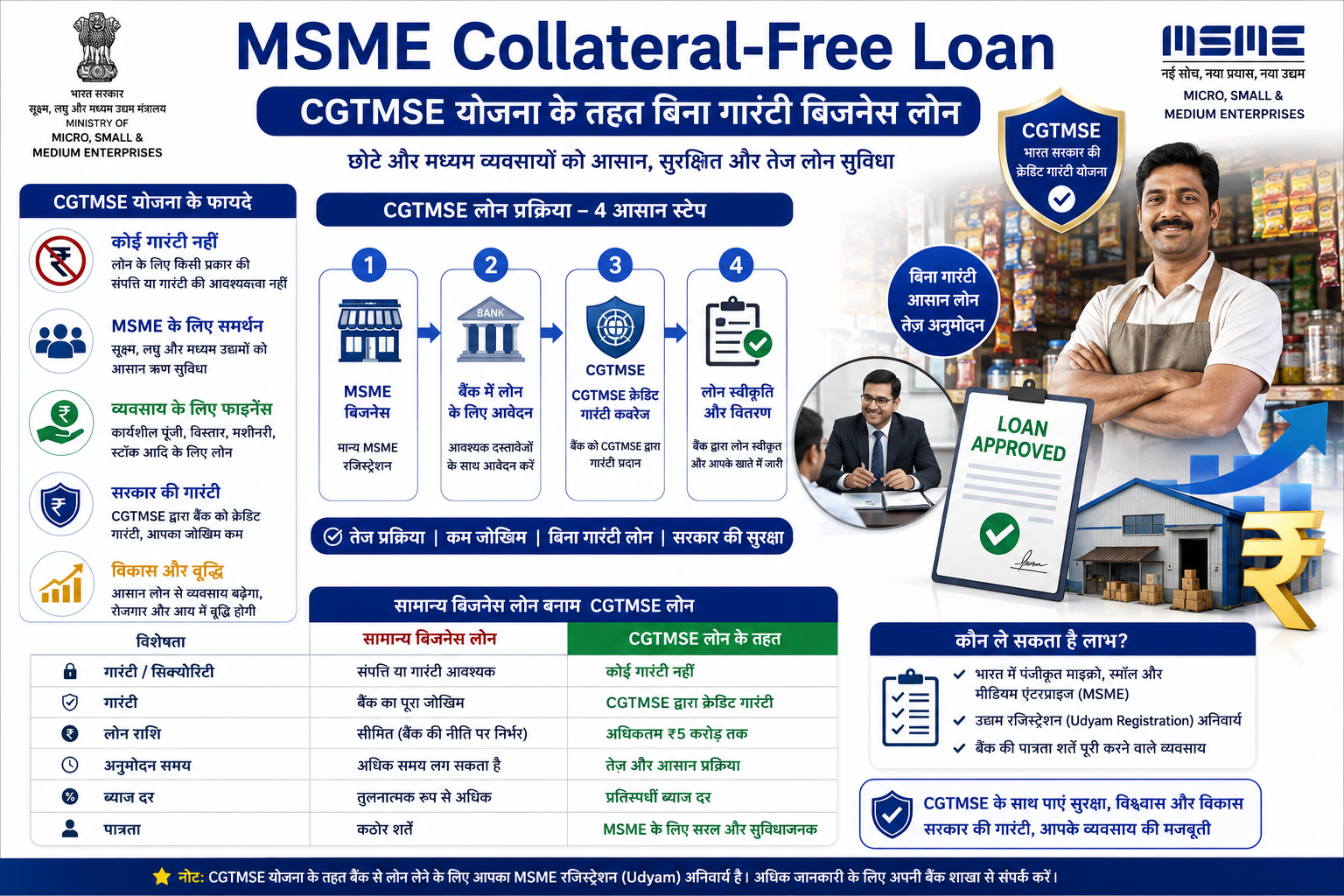
यह सबसे बड़ा फायदा है। CGTMSE (Credit Guarantee Fund Trust for Micro and Small Enterprises) scheme के तहत Udyam registered businesses को बिना property या gold गिरवी रखे loan मिल सकता है। यह scheme सरकार और SIDBI ने मिलकर बनाई है। बैंक और NBFCs को सरकार की guarantee मिलती है, तो वो बिना collateral के ₹10 crore तक का loan दे सकते हैं। लेकिन याद रखें, यह एक guarantee scheme है, loan direct नहीं मिलता। Loan आपकी bank देती है, guarantee CGTMSE देती है।
Priority Sector Lending
RBI ने MSME को Priority Sector में रखा है। इसका मतलब banks को एक fixed percentage अपना credit MSME को देना होता है। तो registered MSMEs को loan approval generally थोड़ा आसान हो जाता है।
Government Subsidies और Schemes
PMEGP (Prime Minister's Employment Generation Programme) जो नई micro-enterprises को project cost पर 15% से 35% तक margin money subsidy देता है। फिर CLCSS है जो नई machinery खरीदने पर ₹1 crore तक के loan पर 15% subsidy देता है। Budget 2025 में women और SC/ST first-time entrepreneurs के लिए ₹2 crore तक के term loans का भी announcement हुआ।
Payment Protection
अगर कोई buyer आपका payment 45 दिनों से ज्यादा देर करे, तो आप RBI rate का तीन गुना interest charge कर सकते हैं। यह legal protection सिर्फ Udyam registered businesses को मिलती है।
Government Tenders में Preference
अक्सर government tenders में MSMEs को Earnest Money Deposit (EMD) से छूट मिलती है और बहुत सी tenders MSME के लिए reserved होती हैं।
इसे भी पढ़िए: अगर आप आवास योजना के बारे में जानना चाहते हैं तो इसे पढ़ें।
कौन Apply कर सकता है? Eligibility क्या है?
April 1, 2025 से सरकार ने MSME classification की limits बढ़ा दी हैं। पहले limits बहुत कम थीं, अब इन्हें करीब 2.5 गुना बढ़ाया गया है। नई limits कुछ इस तरह हैं:
यह limits manufacturing और service दोनों पर equal रूप से apply होती हैं। Export turnover को इस calculation में count नहीं किया जाता।
कौन-कौन register कर सकता है? Proprietor (एकल मालिक), Partnership Firm, Private Limited Company, LLP, HUF (Hindu Undivided Family), Trust, Society। यानी लगभग हर तरह का business।
Documents क्या चाहिए? (यह सबसे जरूरी section है)
यहां एक बड़ी राहत की बात: Udyam Registration में कोई document upload नहीं होता। सब कुछ self-declaration पर आधारित है और government अपने systems से digitally verify करती है।
फिर भी आपके पास ये चीजें ready होनी चाहिए:
जरूरी:
Aadhaar Card: यह mandatory है। Proprietorship में मालिक का Aadhaar, Partnership में managing partner का, HUF में Karta का, Company या LLP में authorized signatory का Aadhaar।
PAN Card: 1 April 2021 से PAN mandatory हो गया है सबके लिए।
Mobile Number: वो number जो Aadhaar से linked है, क्योंकि OTP वहीं आएगा।
Optional/अगर applicable हो:
GSTIN (अगर आप GST registered हैं)
Bank account number और IFSC code
Business address की जानकारी
बस इतना। कोई property paper नहीं, कोई rent agreement नहीं, कोई photograph नहीं।
Step-by-Step Process: Udyam Registration Online कैसे करें
अब असली काम। ध्यान से पढ़िए, हर step clear है।
Step 1: Official Portal खोलें
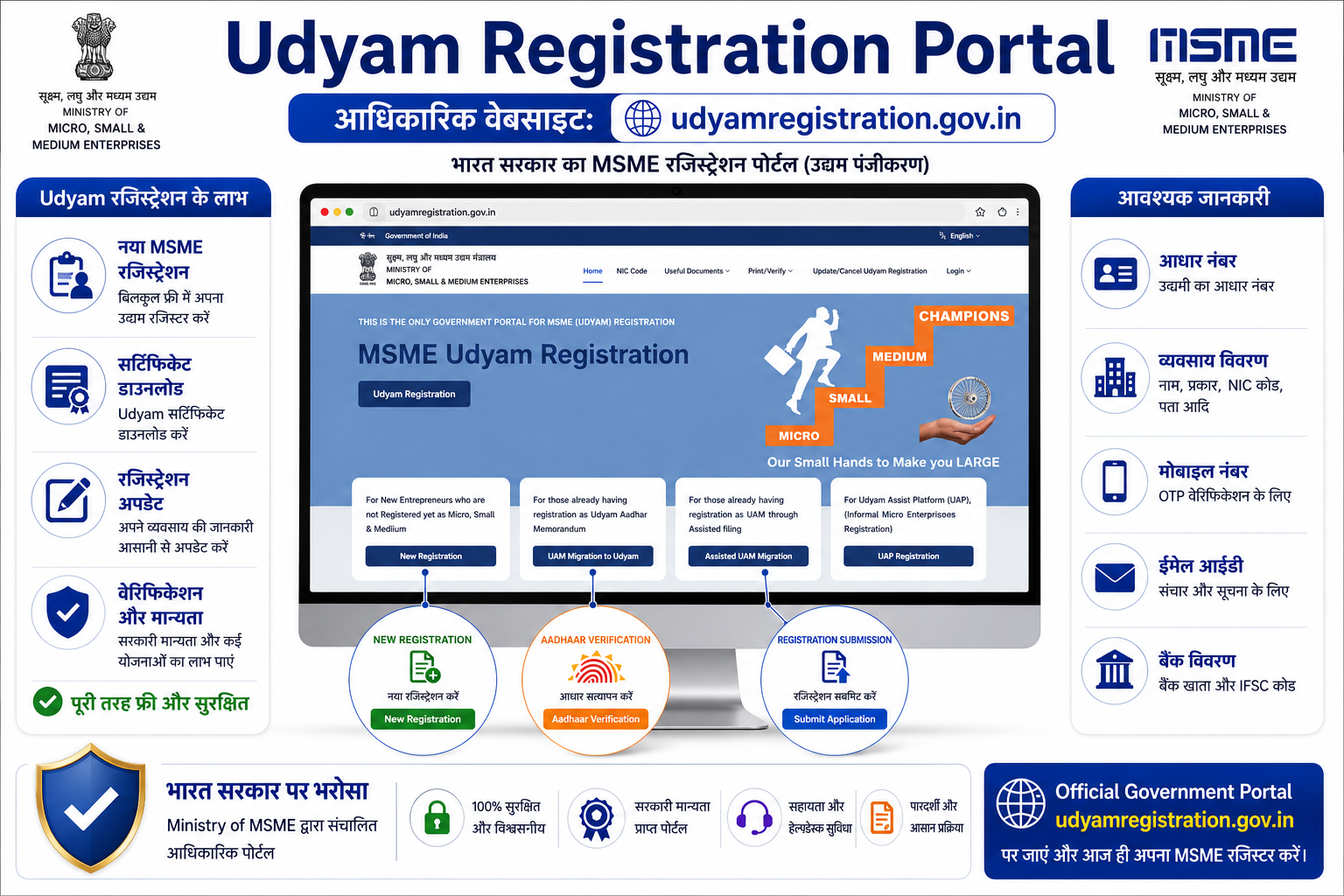
Browser में type करें: udyamregistration.gov.in
यही एकमात्र official website है। इसके अलावा कोई भी website official नहीं है। .gov.in address ध्यान से देखें। बाकी सब private websites हैं।
Step 2: New Registration Option Select करें
Homepage पर आपको दो-तीन options दिखेंगे। New registration के लिए क्लिक करें "For New Entrepreneurs who are not Registered yet as MSME or those with EM-II" पर।
Step 3: Aadhaar Validate करें
अपना Aadhaar number enter करें और नाम exactly वैसा जैसा Aadhaar card पर है। "Validate & Generate OTP" पर क्लिक करें। OTP आपके Aadhaar-linked mobile पर आएगा। Enter करें और verify हो जाएगा।
Step 4: PAN Details भरें
PAN number enter करें। Organization type select करें (Proprietorship, Partnership, Company, आदि)। Portal automatically आपकी PAN details Income Tax database से verify करेगा।
Step 5: Business Details भरें
Business का नाम
Business का पता (district, state सब भरें)
Email address और mobile number
Social category (General/SC/ST/OBC)
Bank account number और IFSC code
Step 6: NIC Code Select करें
NIC का मतलब है National Industrial Classification Code। यह 5-digit code आपके business activity को classify करता है। Portal पर dropdown से आप अपनी activity search कर सकते हैं। अगर आप manufacturing और service दोनों करते हैं, तो multiple NIC codes add कर सकते हैं।
उदाहरण के तौर पर: अगर आप कपड़े सिलते हैं तो Manufacturing का NIC code होगा। अगर आप IT services देते हैं तो Services का अलग code होगा।
Step 7: Investment और Turnover Enter करें
पिछले financial year का investment in plant/machinery और annual turnover बताएं। यह self-declaration है, लेकिन सच बोलें क्योंकि यह Income Tax और GST records से match होगा।
Step 8: Declaration Submit करें
सब details check करें। Declaration checkbox tick करें और form submit कर दें।
Step 9: Certificate Download करें
Submit होते ही आपको तुरंत Udyam Registration Number (URN) मिल जाता है। Email पर भी आ जाता है। Certificate download करने के लिए portal के top menu में "Print/Verify" option में जाएं, "Print Udyam Certificate" select करें, URN और mobile number enter करें, OTP verify करें और certificate download हो जाएगा।
पूरा process 10 से 15 मिनट में complete होता है।
Fake Websites से कैसे बचें? (यह section ध्यान से पढ़ें)
यह बहुत important है। सरकार खुद कई बार warning जारी कर चुकी है। PIB (Press Information Bureau) ने officially confirm किया है कि कई fake websites registration के नाम पर पैसे लेती हैं।
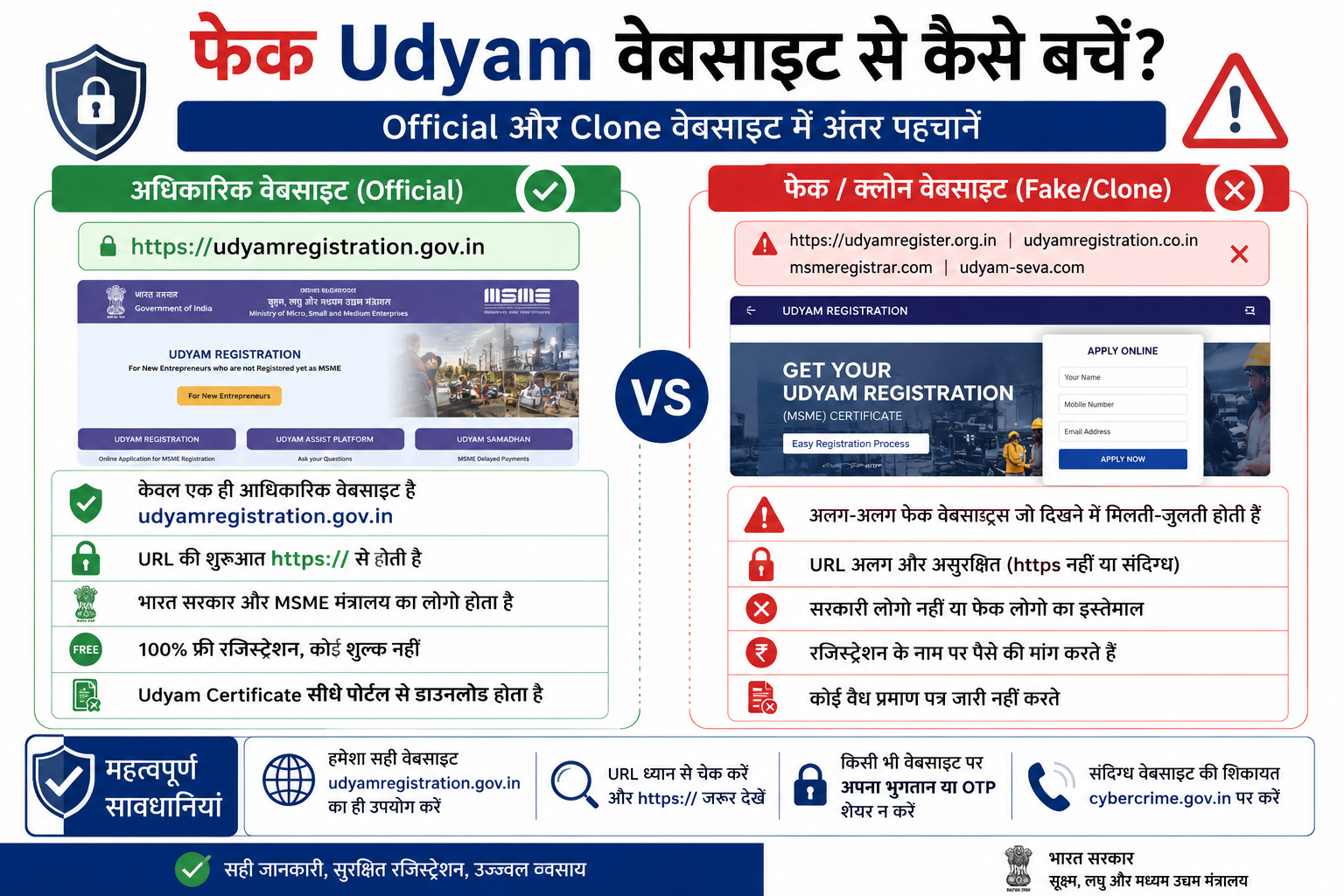
एक famous case में eudyogaadhaar.org नाम की website पर certificate "print" करने के नाम पर ₹2,700 charge किए जाते थे। यह सरकारी site नहीं थी, लेकिन बिल्कुल official जैसी दिखती थी।
इसके अलावा udyamregister.org, udyogadharcertificate.in, udyam-registration.co.in जैसी websites भी report हो चुकी हैं जो private consultancy के नाम पर fees लेती हैं।
Fake site कैसे पहचानें:
URL में .gov.in नहीं है। यह सबसे पक्की पहचान है।
Website registration के लिए fee मांगे। Official site हमेशा free है।
"Instant certificate" या "guaranteed approval" जैसे flashy claims हों।
Contact page खोलो तो कोई proper physical address न हो।
Payment gateway दिखे तो समझ जाइए यह official नहीं है।
सरकार का clear statement है: "No online or offline agency, institution or consultant is authorised to charge any fee or money for Udyam Registration." अगर कोई fee मांगे, वो fraud है।
Official website: udyamregistration.gov.in — बस यही एक।
अगर आप किसी fake site का शिकार हुए हों, तो Cyber Crime portal cybercrime.gov.in पर complaint कर सकते हैं।
Udyam Registration के बाद क्या करें?
Certificate मिल गया, बधाई हो। लेकिन यहीं रुकना नहीं है।
पहला काम: Certificate की soft copy save करें और एक print रखें।
दूसरा काम: Bank से बात करें। CGTMSE के तहत collateral-free loan के बारे में जानकारी लें। Directly bank manager से कहें, "मेरे पास Udyam certificate है, क्या CGTMSE coverage के साथ loan मिल सकता है?" यह सवाल पूछना आपको better position में रखता है।
तीसरा काम: अगर आपकी details में कुछ change हो जैसे turnover बढ़ गई या address बदला तो portal पर जाकर update करें। एक financial year के बाद details update करना advisable है ताकि classification सही रहे।
चौथा काम: State government की schemes भी check करें। हर state के MSME department की अलग schemes होती हैं जैसे UP, Maharashtra, Gujarat में। इन सबके लिए भी Udyam certificate base document है।
अक्सर पूछे जाने वाले सवाल (FAQ)
Q1: क्या Udyam Registration सच में बिल्कुल फ्री है? हां, पूरी तरह फ्री है। Official portal udyamregistration.gov.in पर कोई fee नहीं है। न registration के लिए, न certificate download के लिए। अगर कोई site पैसे मांगे, वो fraud है।
Q2: Aadhaar से mobile number link नहीं है, तो OTP कैसे आएगा? यह एक common problem है। इस case में पहले अपना Aadhaar mobile से link करवाएं, नजदीकी Aadhaar enrollment center पर जाकर। या फिर Common Services Centre (CSC) के जरिए biometric authentication से registration हो सकती है।
Q3: क्या एक business के लिए multiple Udyam registration बन सकती हैं? नहीं। एक PAN पर एक ही URN बनता है। अगर आपकी manufacturing और service दोनों activities हैं, तो एक ही registration में multiple NIC codes add करें।
Q4: Udyam certificate कितने समय में मिलता है? Form submit होते ही तुरंत URN generate हो जाता है और certificate same session में download हो जाता है। कोई waiting period नहीं।
Q5: क्या GST number जरूरी है registration के लिए? GST number optional है, mandatory नहीं। लेकिन अगर आपका business GST threshold से ऊपर है तो GST registration पहले करवा लें और GSTIN Udyam form में mention करें।
Q6: क्या certificate expire होता है? Renewal करनी होती है? Udyam Registration Certificate permanent है और lifetime valid रहता है। कोई renewal fee नहीं, कोई expiry नहीं। हां, details जैसे turnover और address हर financial year update करना recommended है।
Q7: छोटी दुकान या freelancer भी register कर सकता है? हां। Proprietorship के तौर पर दुकानदार, freelancer, consultant, home-based business owner सब register कर सकते हैं। Business कितना भी छोटा हो, अगर investment और turnover limits के अंदर है तो eligible है।
Q8: अगर पहले Udyog Aadhaar था, तो क्या करें? Udyog Aadhaar वाली registration को Udyam पर migrate करना जरूरी है। इसके लिए portal पर "For those who are already registered as Udyog Aadhaar" option select करें और re-registration complete करें।
Disclaimer: यह article general जानकारी के लिए है। Government schemes, eligibility criteria, और loan terms समय के साथ बदल सकते हैं। Final decision से पहले official portal udyamregistration.gov.in या अपने नजदीकी MSME office से confirm करें।